 Image Translator
Translate text in any image in Chrome
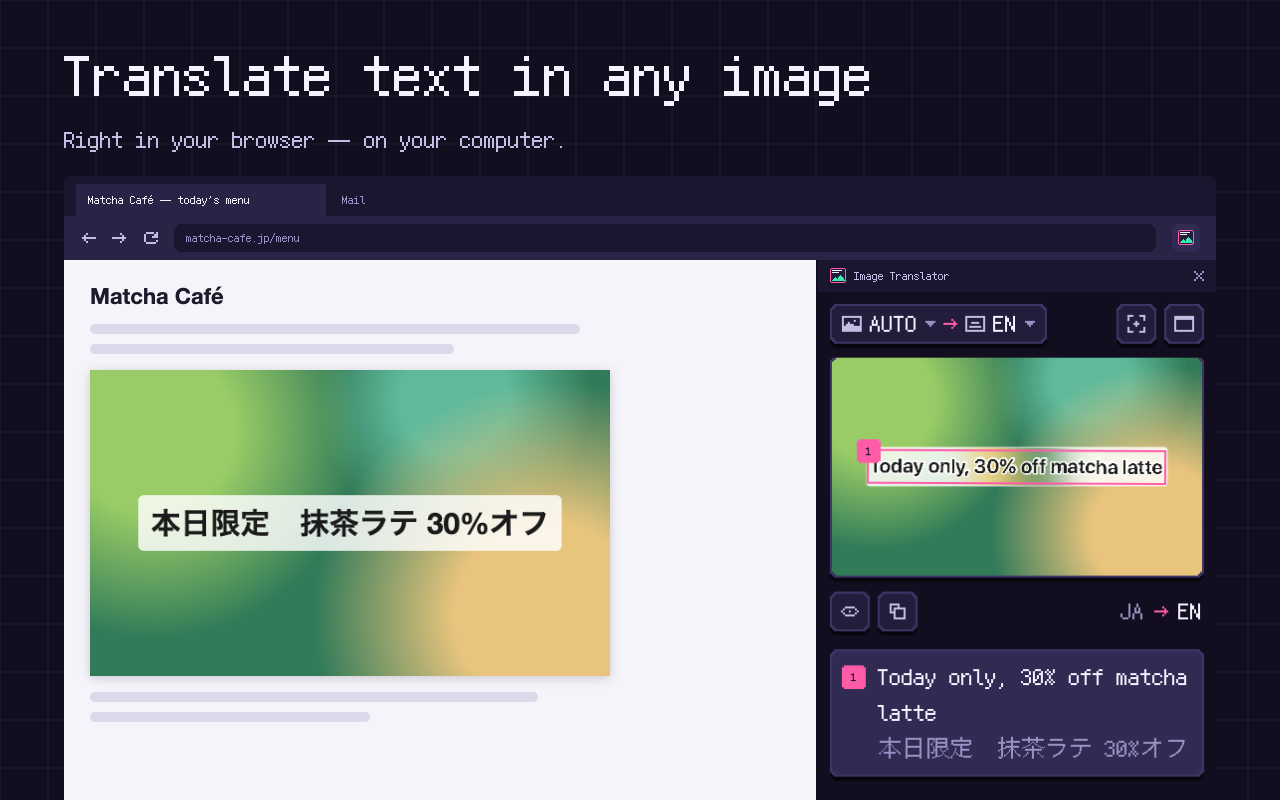
Manga pages, memes, screenshots, product photos, signs, charts and scanned documents. Image Translator draws the translation right over the picture, in a side panel next to the page. Recognition and translation run on your computer, so nothing is uploaded.
- Free
- No account
- No API key
- Nothing uploaded
- Works offline
Coming soon to the Chrome Web StoreHow it works
Who it is for
Manga and webtoons
Vertical Japanese text in speech bubbles, Korean webtoons, Chinese manhua — read in your language, page by page.
Translate manga →Online shopping
Chinese, Japanese and Korean product photos, size charts and labels on AliExpress, Taobao, 1688, Temu or Amazon Japan.
Translate product photos →Memes and screenshots
Image posts on Reddit, X, Instagram, Pinterest, Telegram Web or Discord, and screenshots of chats, apps and games.
Translate screenshots →Travel
Photos of street signs, menus, timetables and notices — taken at an angle, in a hurry.
Study and work
Charts, slides, infographics and scanned documents in a language you don't read.
Private by design
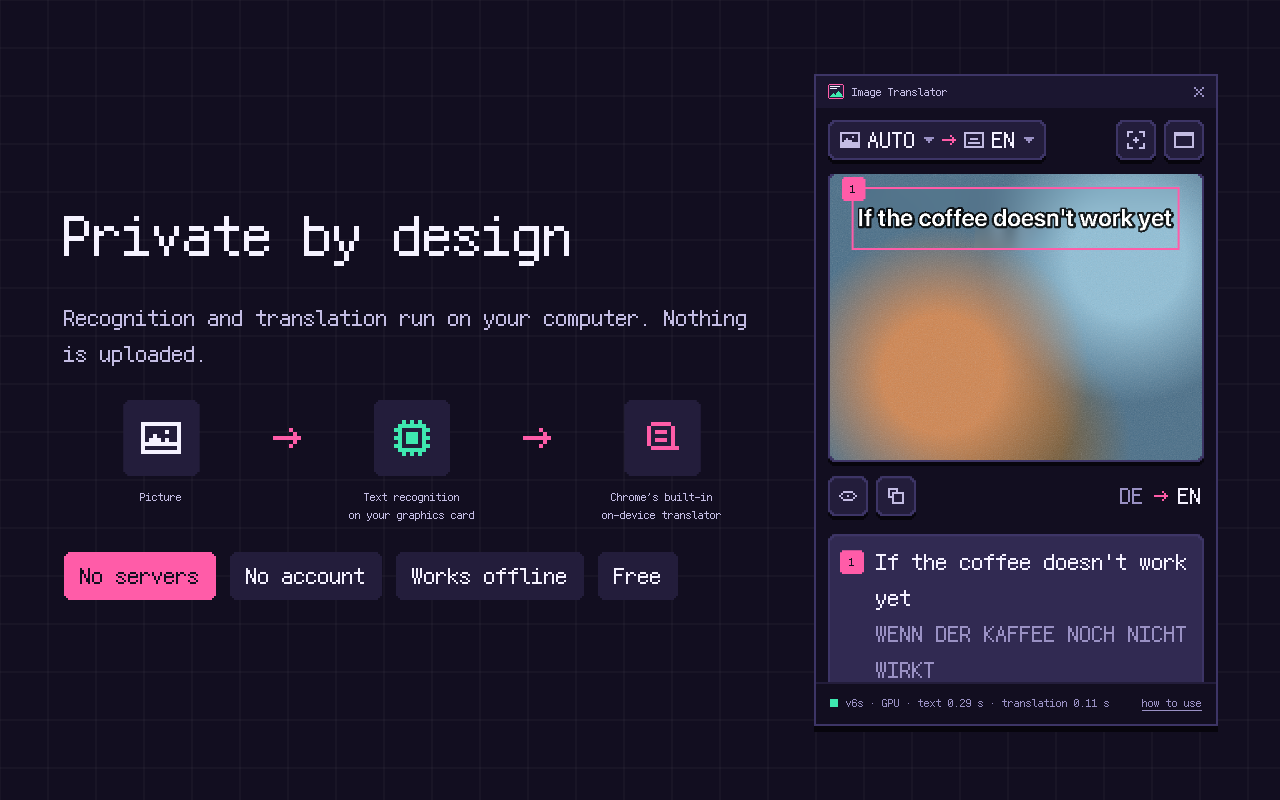
No server, no account, no upload. Works offline once Chrome has the language packs.
How it stays private →It is not tied to one website: if a picture is on your screen, it can be translated.
How to use it
Select an area
Press Alt+Shift+S (⌥⇧S on Mac) and drag a frame over any part of the page: a speech bubble, a chart, a frame of a paused video.
Capture the tab
Alt+Shift+A translates everything visible on the screen.
Right-click an image
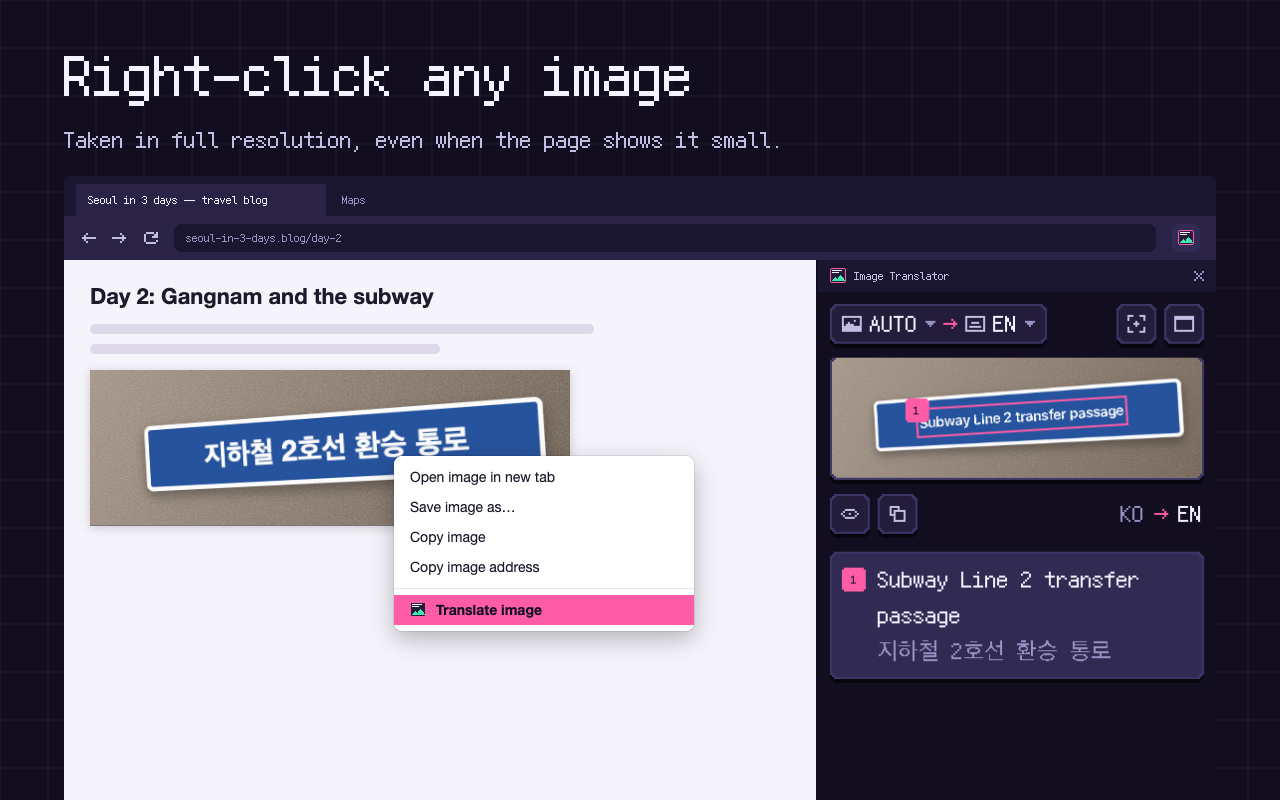
Choose “Translate image”: the picture is taken in full resolution, even if the page shows it small.
Paste or drop
Paste a screenshot with Ctrl+V (⌘V) or drag an image file into the panel.
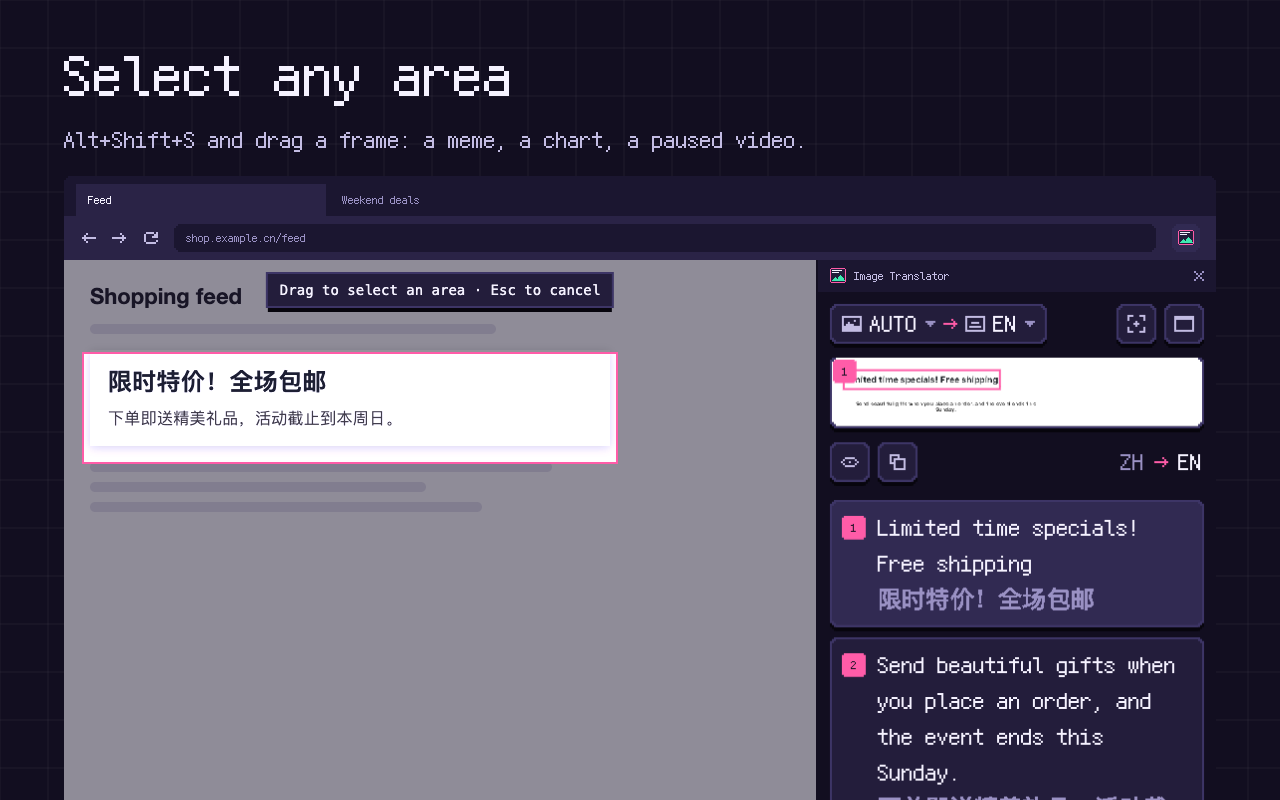
The panel shows the picture with the translation drawn over the original text, keeping its colors, angle and layout. Press and hold the picture to see the original. Below it, each text block is listed with its translation and the original; hover one to highlight it on the picture, or copy the whole translation with one click.
What it does well
- Understands vertical Japanese and Chinese text, rotated and tilted signs, and pages with several columns.
- Joins the lines of a paragraph before translating, so sentences are translated whole, not line by line.
- Detects the language of the picture by itself — or you can choose it.
- Takes right-clicked images in full resolution; very large pictures are handled too.
- Works offline once Chrome has the language packs you use.
Measured, not promised
We test every version on 648 images in 27 languages, made from the FLORES-200 translation benchmark, and on 70 real scanned forms from the XFUND dataset. On a MacBook Air M3 in Chrome 155.0.8059.82:
How it compares with cloud image translators
| Image Translator | Cloud image translators | |
|---|---|---|
| Where your picture goes | Stays on your computer | Uploaded to their servers |
| Account, API key | Not needed | Often required |
| Price and limits | Free, no limits | Free tier with daily limits, or paid |
| Without internet | Works offline | Needs a connection |
| Handwriting | Partial | Usually better |
| Hebrew, Bengali, Kannada text | Can't read yet | Usually supported |
Languages
Reads text in 36 languages: English, Russian, Ukrainian, Bulgarian, German, French, Spanish, Italian, Portuguese, Dutch, Polish, Czech, Slovak, Slovenian, Croatian, Hungarian, Romanian, Lithuanian, Danish, Swedish, Norwegian, Finnish, Turkish, Indonesian, Vietnamese, Greek, Chinese (Simplified and Traditional), Japanese, Korean, Arabic, Hindi, Marathi, Thai, Tamil and Telugu.
Translates into 39 languages: all of the above plus Hebrew, Bengali and Kannada.
Under the hood
- Text recognition: PaddleOCR models (PP-OCRv6 and PP-OCRv5) packed inside the extension and run by ONNX Runtime on your graphics card through WebGPU, or on the processor without one.
- Translation and language detection: Chrome's built-in on-device Translator and Language Detector (Chrome 138 and newer).
- Nothing leaves your computer: no servers, no analytics, no ads. The only thing the extension downloads is the picture you choose, from the address the page already loads it from; language packs are downloaded by Chrome itself.
Limitations
- Hebrew, Bengali and Kannada text cannot be read yet (translation into these languages works).
- Vietnamese tone marks are not always recognized; complex scripts such as Arabic, Thai or Telugu occasionally lose a letter.
- Handwriting is recognized only partially.
- Chrome does not allow capturing its own pages (chrome://), the Chrome Web Store or DRM-protected video.
System requirements
- Desktop Chrome 138 or newer on Windows, macOS or Linux.
- A graphics card with WebGPU is recommended (most laptops of recent years); without one, recognition runs on the processor.
- About 120 MB for the extension and about 80 MB for each translation language you use.
Getting started
On first launch, a short tour translates a sample sign and shows where pictures come from. You can also download Chrome's language packs in advance there, so later translations start instantly.
Frequently asked questions
How do I translate text in an image in Chrome?
Right-click the image and choose “Translate image”, or press Alt+Shift+S (⌥⇧S on Mac) and select the part of the page with the text. The translation appears over the picture in the side panel.
Is there an image translator that works offline and doesn't upload my pictures?
Yes — this one. Recognition and translation run on your computer; after Chrome has downloaded the language packs, it works without the internet. How it stays private.
Can it translate manga and webtoons?
Yes. It reads vertical Japanese text in speech bubbles in the right order, as well as Korean and Chinese comics. Select a panel or a whole page. Translating manga, step by step.
How do I translate Chinese text on AliExpress or Taobao product photos?
Right-click the product photo and choose “Translate image”. The photo is taken in full resolution, so small print on labels and size charts is readable. More on product photos.
Can I translate a screenshot?
Yes. Copy it and press Ctrl+V (⌘V on Mac) in the panel, or drag the image file into it. More on screenshots and memes.
Is it free? Are there limits?
Yes, it is free, with no limits, no account and no API key. Everything runs on your own computer, so there is nothing to meter.
Why does Chrome ask me to download a language pack?
Translation is done by Chrome's built-in translator. The first time a language pair is used, Chrome downloads its pack and keeps it — after that, the pair works offline. Chrome only allows this download after a click, so the panel shows a button for it.
Why is the extension about 120 MB?
That is the text recognition models — they live inside the extension so that nothing has to be sent to a server.
Does it collect any data?
No. There is no server, no analytics and no ads; only your language settings are stored, on your computer. See the privacy policy.
Free · No account · Desktop Chrome 138+ on Windows, macOS, Linux