 Image Translator
Translate a screenshot or a meme in Chrome
A screenshot from a chat, a game or an app, a meme from Reddit or X, a picture someone sent you — if it has text in a language you don't read, paste it into Image Translator's side panel and read it in yours. The picture is processed on your computer and never uploaded.
Coming soon to the Chrome Web Store
Ways to get the picture in
Paste
Copy a screenshot and press Ctrl+V (⌘V) in the panel. On Windows, Win+Shift+S puts a screenshot on the clipboard; on a Mac, ⌘⌃⇧4.
Drop a file
Drag an image file from your desktop or downloads into the panel.
Select an area
On any page, press Alt+Shift+S (⌥⇧S on Mac) and drag a frame over what you want to translate.
Capture the tab
Alt+Shift+A translates everything visible in the tab; right-click → “Translate image” takes a picture from the page.
What you get
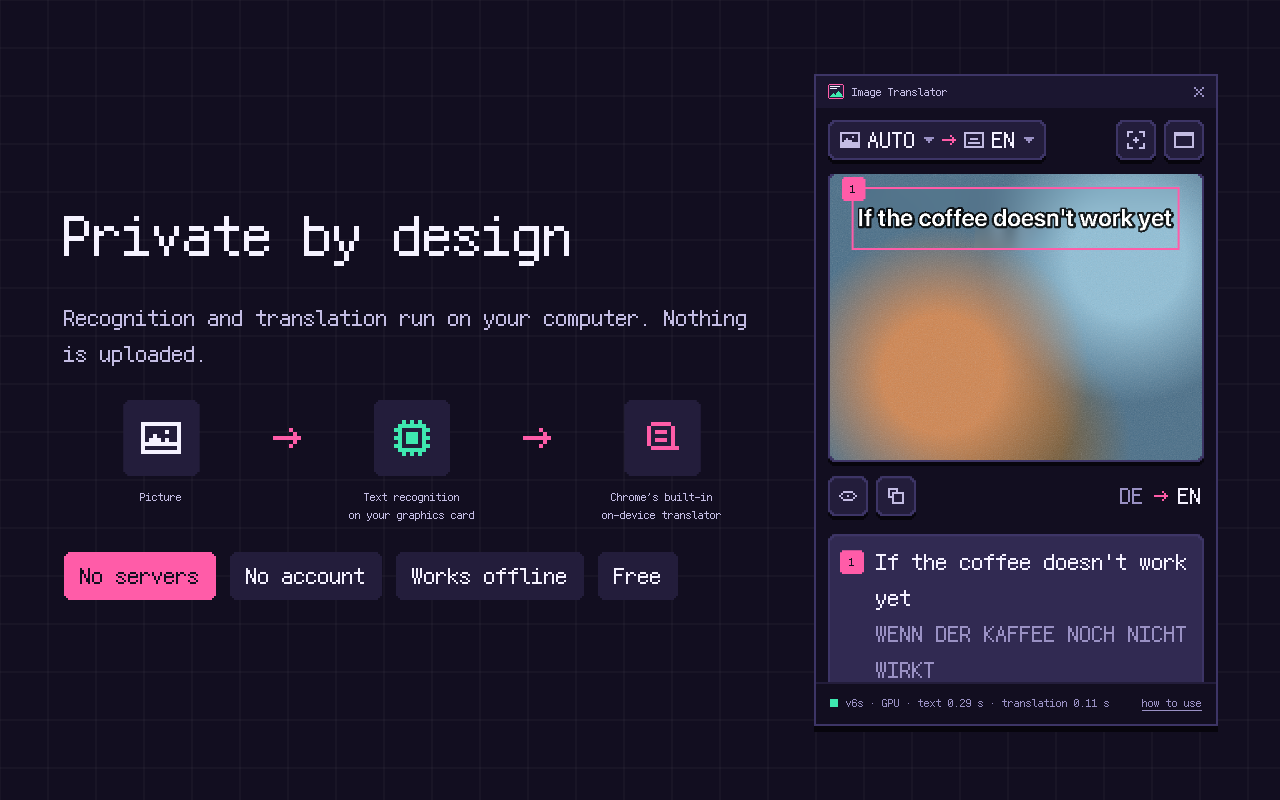
- The translation drawn over the original text, keeping its colors, angle and layout — a meme stays a meme.
- Press and hold the picture to see the original.
- Each text block below the picture, with the translation and the original; hover one to highlight it.
- The whole translation copied with one click.
Tested on the pictures people actually share
Every version is tested on memes with outlined text, screenshots of feeds with 14–16 px text at 1× and Retina scale, photos of signs taken at an angle and blurry, recompressed JPEGs. Results per kind of picture →
Screenshots stay on your computer
Screenshots often hold private things — names, messages, account details. Image Translator never sends them anywhere: recognition runs on your graphics card and translation is done by Chrome's built-in on-device translator. How it stays private →
Frequently asked questions
How do I translate a screenshot on my computer?
Copy it to the clipboard, open the side panel with the extension's toolbar icon and press Ctrl+V (⌘V on Mac). Or drag the image file into the panel.
Can I translate an image file from my computer?
Yes — drag it from your desktop or downloads folder into the panel.
Can I copy the translated text?
Yes. The copy button puts the whole translation on the clipboard, and each text block is listed below the picture with its original.
Does it work with memes in capitals?
Yes. Memes with white outlined text, also in capitals, are one of the kinds of pictures we test every version on.
Free · No account · Desktop Chrome 138+ on Windows, macOS, Linux